
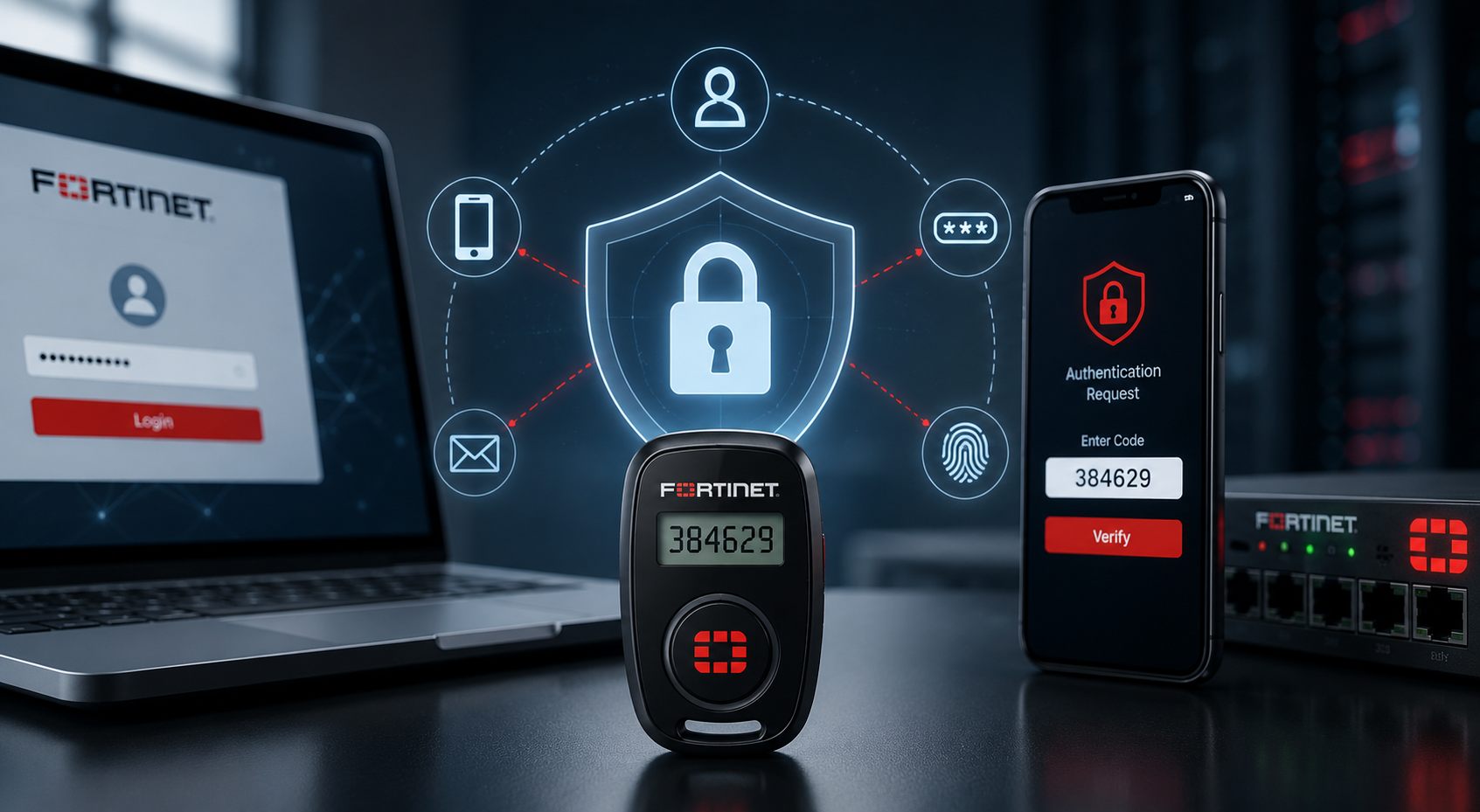
Passwords are still one of the most common ways attackers gain access to business systems. Whether credentials are stolen, reused or exposed through phishing attacks, relying on a password alone can leave VPNs, administrator accounts and sensitive applications vulnerable.
FortiToken is Fortinet’s multi-factor authentication (MFA) solution designed to add an extra layer of protection to user logins, VPN access, administrator accounts and business applications. Rather than relying on a password alone, FortiToken requires users to verify their identity using a second factor, such as a mobile app code, push notification, hardware token, USB certificate token or FIDO2 security key. This helps reduce the risk of unauthorised access if passwords are stolen, reused or exposed.
FortiToken is commonly used with Fortinet products, such as FortiGate, FortiClient, FortiAuthenticator and FortiIdentity Cloud, making it a natural fit for organisations already using the Fortinet ecosystem.
In this article, we'll explain what FortiToken is, how it works, the different FortiToken options available and where it fits within a Fortinet security environment.
How Does FortiToken Work?
FortiToken adds a second authentication step after a user enters their username and password.
A typical login process looks like this:
-
The user enters their username and password.
-
The system verifies the first login factor.
-
The user is prompted for a FortiToken code, push approval or security key confirmation.
-
FortiToken validates the second factor.
-
Access is approved or denied.
Depending on the FortiToken option used, the second factor may be a one-time password (OTP), a push notification, a hardware token code or a FIDO2 security key. This additional verification helps prevent unauthorised access even if login credentials have been compromised.
Types of FortiToken
FortiToken includes several authentication options designed for different business requirements.
|
FortiToken Option |
What It Does |
Best For |
|
FortiToken Mobile |
Mobile app that generates OTP codes and supports push approval |
Remote users, VPN users, general MFA |
|
FortiToken 210 |
Physical hardware OTP token |
Users who need a dedicated authentication device |
|
FortiToken 310 |
USB token for certificate-based authentication |
Certificate-backed access environments |
|
FortiToken 410 |
FIDO-certified security key supporting U2F and FIDO2 |
Passwordless and phishing-resistant authentication |
|
FortiIdentity Cloud |
Cloud-based identity and MFA management |
Centralised cloud-managed authentication |
FortiToken Mobile
FortiToken Mobile turns a smartphone into an authentication token. Users can generate one-time passwords or approve login requests directly from the app.
Because most users already carry a mobile device, FortiToken Mobile is often the easiest way for organisations to deploy MFA across VPN users, remote workers and office staff.
FortiToken Hardware Tokens
FortiToken also offers dedicated hardware authentication options.
FortiToken 210 generates one-time passwords on a physical device, making it suitable for environments where mobile phones are not practical or permitted.
FortiToken 310 provides certificate-based authentication through a USB token, while FortiToken 410 supports FIDO2 and U2F authentication for stronger phishing-resistant security and passwordless login experiences.
These options are commonly used for administrator accounts, privileged users, regulated environments and organisations with stricter security requirements.
FortiIdentity Cloud
FortiIdentity Cloud is Fortinet’s cloud-based identity and MFA platform. Formerly known as FortiToken Cloud, it provides centralised management of authentication and user access across Fortinet environments and supported applications.
Need help choosing the right FortiToken option for your Fortinet environment? Explore FortiSecure’s Identity & Access products or speak with our Fortinet specialists to secure VPN, admin and remote user access with the right MFA setup.
What Can FortiToken Protect?
FortiToken is commonly used to secure:
-
FortiGate SSL VPN and IPsec VPN access
-
Firewall administrator accounts
-
Remote and hybrid workers
-
Privileged user accounts
-
Contractor and third-party access
-
FortiAuthenticator deployments
-
Zero Trust access environments
-
Business applications and internal systems
By requiring a second factor during login, FortiToken helps reduce the risk associated with password-only authentication.
FortiToken vs FortiAuthenticator
FortiToken and FortiAuthenticator are closely related, but they serve different purposes.
FortiToken is the authentication factor used by the end user, whether that is a mobile token, hardware token or security key. FortiAuthenticator, on the other hand, is the platform that helps manage authentication, identity services, user verification and MFA policies across an organisation.
A simple way to think about it is:
-
FortiToken is the second factor.
-
FortiAuthenticator helps manage authentication.
Many organisations use both together as part of a broader identity and access strategy.
FortiToken vs FortiIdentity Cloud
FortiToken refers to the authentication methods themselves, such as mobile tokens, hardware OTP devices and security keys.
FortiIdentity Cloud is the cloud-based service used to manage authentication and identity workflows across users and systems.
Organisations that prefer cloud-managed MFA often use FortiIdentity Cloud to simplify deployment and administration while maintaining centralised control.
Which Businesses Should Use FortiToken?
FortiToken is a strong fit for organisations that want to improve access security and reduce password-related risks.
It is particularly useful for:
-
Businesses using FortiGate firewalls
-
Teams with SSL VPN or IPsec VPN access
-
Remote and hybrid workforces
-
Organisations using FortiAuthenticator
-
IT teams managing privileged administrator accounts
-
Businesses implementing Zero Trust security models
-
Managed service providers supporting Fortinet environments
-
Organisations requiring stronger identity verification and access control
While often associated with enterprise environments, FortiToken is equally valuable for small and mid-sized businesses that need stronger authentication without excessive complexity.
Final Thoughts
FortiToken is Fortinet’s MFA solution for securing VPN access, administrator accounts, remote workers, business applications and identity-driven access controls. Whether deployed through FortiToken Mobile, hardware tokens, certificate-based authentication or FIDO2 security keys, it helps ensure that access depends on more than just a password.
For organisations already using Fortinet technologies, it provides a practical way to strengthen authentication, improve access control and support broader security initiatives such as Zero Trust and identity-based security.