
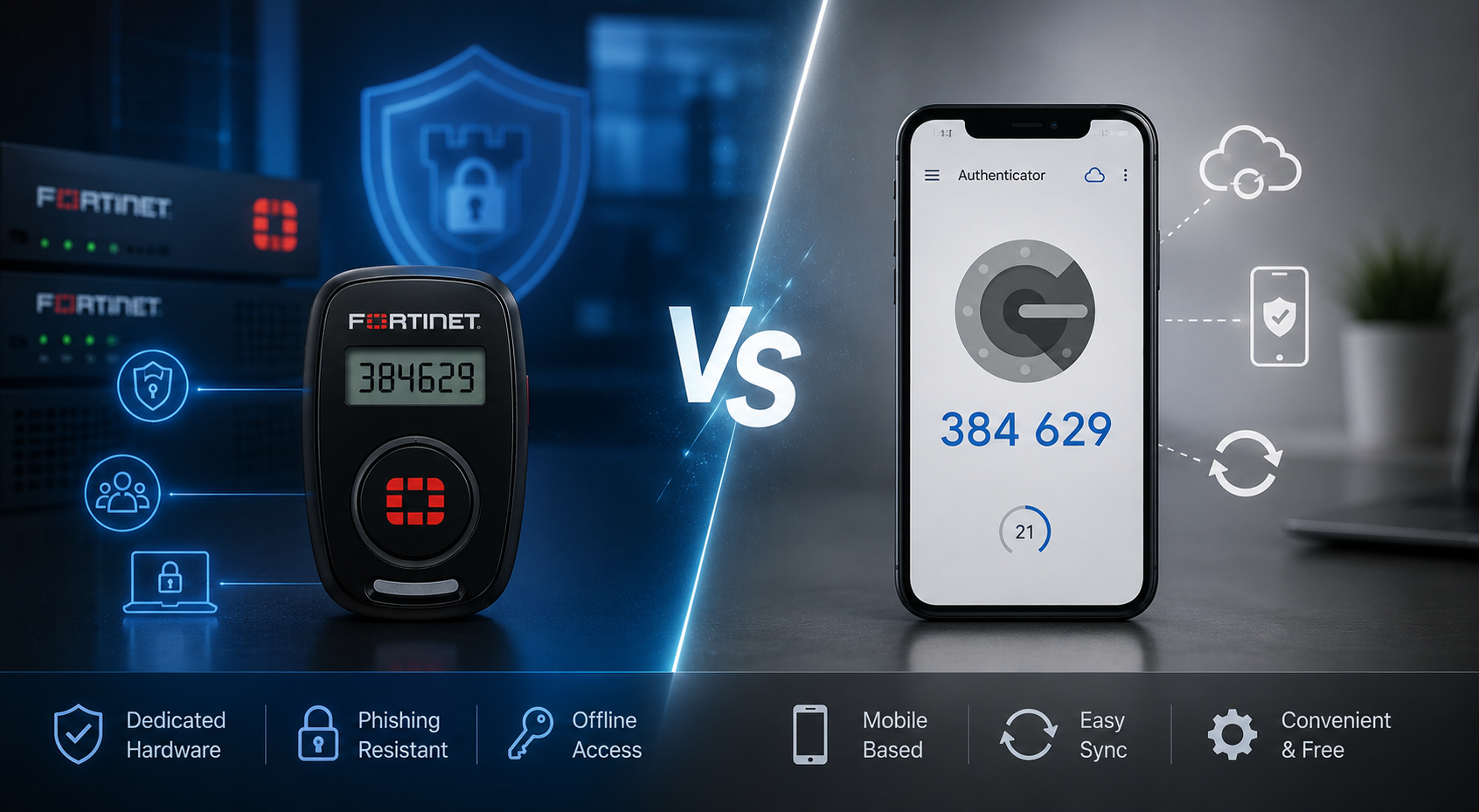
Multi-factor authentication (MFA) has become a standard layer of protection for business accounts, helping reduce the risk of password-only access across systems, VPNs and cloud applications.
Two of the most commonly compared options are FortiToken and Google Authenticator. At a surface level, both generate one-time codes used during login. But they are designed for very different environments.
Fortinet FortiToken is built for enterprise environments that already use Fortinet security tools, such as FortiGate, FortiAuthenticator and FortiIdentity Cloud. It is designed for managed, policy-driven authentication across networks, VPNs and administrative access.
Google Authenticator Google Authenticator, on the other hand, is a general-purpose authenticator app used across a wide range of services. It is simple, widely supported and effective for basic two-step verification.
The real difference is not just the app itself, but how much control, integration and governance a business needs over authentication.
Quick Answer: FortiToken vs Google Authenticator
FortiToken is better suited for businesses that need Fortinet-native MFA, VPN protection, administrator login security, hardware token options and centralised identity management across Fortinet infrastructure.
Google Authenticator, on the other hand, is better for simple, app-based one-time passwords across personal accounts and third-party services. It is quick to set up, widely compatible and works offline once configured.
What Is FortiToken?
FortiToken is Fortinet’s multi-factor authentication solution designed to secure access to business systems and applications. It integrates closely with Fortinet products, such as FortiGate, FortiClient, FortiAuthenticator and FortiIdentity Cloud.
It supports multiple authentication methods, including:
-
Mobile app-based one-time passwords (FortiToken Mobile)
-
Hardware OTP tokens (such as FortiToken 210)
-
FIDO2 security keys (FortiToken 410)
-
Centralised token assignment and policy management
FortiToken is typically used to secure:
-
FortiGate VPN access (SSL VPN and IPsec VPN)
-
Administrator logins to FortiGate firewalls
-
Remote worker access
-
Privileged user accounts
-
Contractor and third-party access
-
Zero Trust and identity-based access environments
Rather than functioning as a standalone code generator, FortiToken is part of a broader identity and access control framework within Fortinet environments.
What Is Google Authenticator?
Google Authenticator is a mobile application that generates time-based one-time passwords (TOTP) for accounts that support authenticator-based MFA.
Users scan a QR code during setup, and the app generates rotating codes used during login. Once configured, it works without internet or mobile signal.
It is commonly used for:
-
Google accounts
-
Social media logins
-
Password managers
-
Cloud tools and SaaS platforms
-
General personal account security
-
Any service that supports TOTP authentication
Google Authenticator is widely adopted because it is simple, free and easy to set up. However, it does not provide centralised management or enterprise-level authentication controls on its own.
Need help choosing between FortiToken Mobile, FortiToken hardware tokens and Fortinet MFA for your business? Explore FortiSecure’s Identity & Access products or speak with our Fortinet specialists to secure VPN, admin and remote user access with the right authentication setup.
Security, Control and Business Fit: FortiToken vs Google Authenticator
To understand how FortiToken and Google Authenticator differ in real-world use, it helps to focus on how they fit into different security environments, levels of control and organisational requirements.
Authentication Methods: OTP, Hardware and FIDO2
The key distinction between FortiToken and Google Authenticator is the range of authentication options and how they are managed.
Fortinet FortiToken supports multiple authentication formats, including mobile-based OTP (FortiToken Mobile), hardware tokens, such as FortiToken 210, and FIDO2-based authentication through FortiToken 410. It also allows centralised assignment and policy-based control across users.
This enables organisations to match authentication strength to risk level, such as using OTP for general users, hardware tokens where mobile devices are unsuitable and FIDO2 authentication for high-privilege or phishing-sensitive roles.
Google Authenticator, by contrast, is limited to software-based OTP generation. While other Google security key options exist, they sit outside the Authenticator app itself.
High-Risk Access: VPN and Administrator Security
The differences become more important in high-risk access scenarios, such as VPN and administrator logins.
FortiToken integrates directly with Fortinet environments to secure FortiGate VPN connections, ensuring access is blocked without a second factor even if credentials are compromised. For administrator accounts, hardware tokens or FortiToken 410 are often preferred due to stronger resistance to phishing and credential theft.
Google Authenticator can still provide MFA where supported, but it does not offer the same level of enforcement or integration within Fortinet-managed environments.
Ease of Use vs Centralised Control
From a usability perspective, Google Authenticator is straightforward. It is widely familiar, quick to set up and works across many services that support standard TOTP authentication.
FortiToken Mobile can also be simple for end users, particularly where push-based approvals are enabled. However, it is typically deployed within a managed environment where IT teams control setup, policies and user provisioning.
The key difference is structure:
-
Google Authenticator prioritises individual convenience
-
FortiToken prioritises centralised organisational control
Security in Context
Both solutions improve security compared to password-only authentication, but they operate at different levels.
Google Authenticator provides a baseline layer of OTP protection suitable for personal accounts and lightweight use cases. FortiToken extends this with enterprise controls, multiple token types and hardware-backed options, including FIDO2 security keys designed for stronger phishing resistance.
In practical terms, Google Authenticator is sufficient for general MFA needs, while FortiToken is designed for environments that require structured identity governance and policy enforcement.
Sync and Recovery Considerations
Google Authenticator’s ability to sync codes across devices when linked to a Google account improves convenience and recovery for personal users.
In business environments, however, this introduces considerations around ownership of authentication data, recovery tied to personal accounts and policy control over credentials.
This does not make it unsuitable, but it does mean organisations need to assess how MFA data is managed across users and devices.
FortiToken is generally preferred where authentication must remain fully controlled within a managed enterprise environment.
Business Fit: Small Business vs MSP Environments
For small businesses with basic SaaS usage, Google Authenticator may be sufficient for simple MFA requirements.
As authentication becomes part of infrastructure — particularly with FortiGate VPN, remote access or administrator accounts — FortiToken becomes the more scalable option.
FortiToken is typically preferred when:
-
FortiGate VPN access is in use
-
Admin accounts manage firewall and network settings
-
Remote users require secure access
-
MFA needs centralised control
-
Hardware or FIDO2 authentication is required
-
The organisation is adopting Zero Trust principles
For MSPs and IT teams, FortiToken also provides stronger operational control through centralised token management, structured onboarding and offboarding, and improved visibility across users and access points.
Google Authenticator can become harder to manage at scale due to its reliance on individual devices and user-controlled configuration.
Final Takeaway
While both solutions improve account security, they are designed for different levels of authentication management.
Google Authenticator is best suited to simple, individual use cases where MFA is needed for personal accounts or lightweight application security. FortiToken is better suited to organisations that require controlled, centrally managed authentication across VPNs, administrative systems and enterprise infrastructure, particularly within Fortinet environments.
The decision ultimately comes down to scale and governance: Google Authenticator prioritises simplicity, while FortiToken prioritises control, integration and enterprise security structure.