
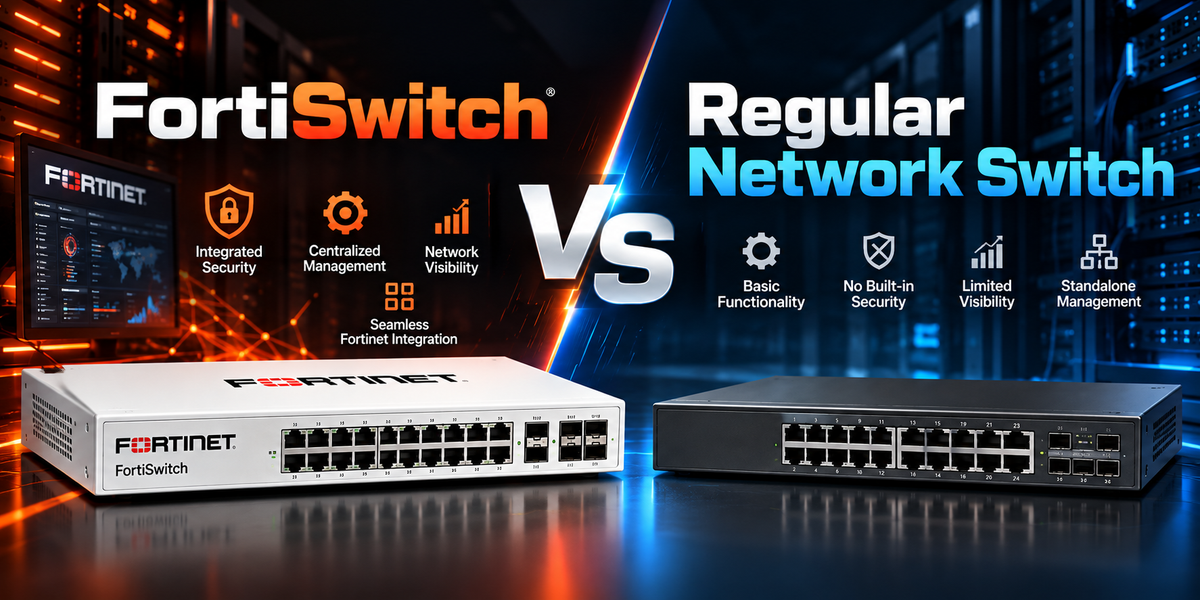
Businesses have more connected devices and networked systems than ever, which makes the way wired infrastructure is managed an important part of network planning. The choice of switching equipment can affect how easily IT teams manage devices, apply network policies, troubleshoot issues and integrate different parts of the network.
A regular network switch focuses on connecting devices across the local network, while FortiSwitch adds Fortinet integration to the switching layer.
For organisations already using Fortinet, this can make switching part of a broader security and network management strategy. This guide compares FortiSwitch with regular network switches across management, FortiGate integration, security visibility, PoE, wireless connectivity and common business use cases.
What Is a Regular Network Switch?
A regular network switch is a network device that connects wired devices within a local area network.
In a small office, a switch may connect desktop computers, printers, VoIP phones, wireless access points, cameras and other devices. In larger environments, managed switches can provide more advanced capabilities such as VLANs, link aggregation, quality of service, port security and network monitoring.
The level of control depends on the type of switch.
An unmanaged switch is designed for simple connectivity. Devices can generally be connected without configuring the switch, making this type of hardware easy to deploy. However, it provides limited visibility and control over connected devices and network traffic.
A managed switch provides greater control. IT teams can configure network segmentation, monitor ports, manage traffic and apply network policies. Managed switches can be suitable for business networks that require more control over how devices connect and communicate.
Regular managed switches are available from many vendors and can work with different firewall, wireless and network management platforms. This flexibility can be useful for businesses operating mixed-vendor environments.
What Is FortiSwitch?
FortiSwitch is Fortinet's Ethernet switching product family, designed to provide wired connectivity alongside centralised network management and Fortinet security integration.
FortiSwitch models are available for different environments, including offices, branches, campuses, data centres and industrial sites. Features vary between models, with options that can include PoE, high-speed connectivity and different port configurations.
One of the main advantages of FortiSwitch is its integration with FortiGate through FortiLink. In a Fortinet environment, this allows FortiGate to manage connected FortiSwitch devices and provides a more centralised approach to managing the network access layer.
FortiSwitch can also work alongside FortiAP wireless access points and other Fortinet solutions. This can help businesses bring wired and wireless access management closer together rather than managing each network component through completely separate systems.
FortiSwitch vs Regular Network Switch: Quick Comparison
The biggest difference between FortiSwitch and a regular network switch is not basic switching functionality. Both can provide wired connectivity, while managed models from either category can offer features such as VLANs, PoE and monitoring.
The difference is how the switch fits into the wider network and security environment.
|
Area |
Regular Network Switch |
FortiSwitch |
|
Main role |
Connect wired devices |
Connect wired devices with Fortinet integration |
|
Management |
Separate management platform or interface |
Can be centrally managed through FortiGate using FortiLink |
|
Security integration |
Depends on vendor and network architecture |
Designed to integrate with FortiGate and Fortinet Security Fabric |
|
Firewall integration |
Usually managed separately |
Designed to work with FortiGate |
|
Wireless integration |
Usually separate |
Integrates with FortiAP and FortiGate |
|
PoE support |
Available on many models |
Available on selected FortiSwitch models |
|
Network visibility |
Depends on model and management platform |
Provides visibility within the Fortinet management environment |
|
Best fit |
Simple, mixed-vendor or existing network environments |
Fortinet-based business networks |
A regular managed switch can be a strong networking solution. FortiSwitch becomes particularly useful when a business wants its wired access layer to work closely with FortiGate and other Fortinet technologies.
Why FortiGate Integration Matters
FortiGate integration is one of the main reasons businesses may consider FortiSwitch over a standalone switching solution.
In a traditional network, the firewall and switches may be managed separately. The firewall handles network security and traffic control, while switches manage wired connectivity. This can mean separate management interfaces, configuration processes and monitoring tools.
When FortiSwitch is managed through FortiGate using FortiLink, these network components can be brought into a more centralised management environment. IT teams can manage the wired access layer alongside firewall policies and other Fortinet network components.
This can support:
-
Centralised switch management
-
Device and port visibility
-
VLAN configuration
-
Network access management
-
Consistent network policies
-
Integration with FortiAP wireless access points
-
Simplified branch network management
-
Fortinet Security Fabric integration
For organisations already using FortiGate, keeping switching within the same Fortinet ecosystem can simplify network administration and reduce the need to manage separate platforms for different parts of the network.
FortiSwitch Management and Integration
FortiSwitch can be managed as part of a broader Fortinet network rather than operating as a standalone switching platform. The level of integration depends on how the switches are deployed and which Fortinet management tools are used.
The sections below explain how FortiLink connects FortiSwitch with FortiGate and how FortiSwitch compares with unmanaged and regular managed switches.
FortiSwitch and FortiLink
FortiLink is the technology that enables FortiSwitch to integrate with FortiGate for centralised management.
When FortiSwitch is deployed in FortiLink mode, FortiGate can manage the connected switches and provide visibility into the access layer. Depending on the deployment, IT teams can configure switch ports, VLANs and other network settings through the Fortinet management environment.
This can be particularly useful for businesses that want their firewall, wired network and wireless infrastructure to follow a consistent management model.
For example, an IT team could manage FortiGate firewall policies, FortiSwitch wired access and FortiAP wireless access within the same Fortinet environment. This can make network administration more consistent across offices and branches.
FortiSwitch vs Unmanaged Switch
An unmanaged switch is designed for basic connectivity. It can be useful for small or simple setups where advanced configuration and monitoring are not required.
However, unmanaged switches provide limited control over how devices connect to the network. They generally do not provide the same level of VLAN configuration, port management, monitoring or access control available from managed switches.
FortiSwitch is more appropriate when the business needs capabilities such as:
-
Port-level visibility
-
VLAN segmentation
-
Centralised management
-
FortiGate integration
-
PoE for supported devices
-
Network troubleshooting
-
Network access controls
-
Integration with the wider Fortinet environment
For business-critical networks where segmentation, monitoring or access control are important, a managed switch is generally more appropriate than an unmanaged switch.
FortiSwitch vs Regular Managed Switch
A regular managed switch can provide many of the same core switching features as FortiSwitch. Depending on the vendor and model, these may include VLANs, PoE, quality of service, link aggregation, port security and monitoring.
The main distinction is ecosystem integration.
FortiSwitch is designed for Fortinet-based environments where FortiGate, FortiAP and other Fortinet solutions are part of the network architecture. A regular managed switch may be more appropriate when a business uses another firewall or wireless platform, or when it wants to maintain a mixed-vendor network.
For businesses already using Fortinet, FortiSwitch can provide a more integrated management experience.
How Businesses Use FortiSwitch
FortiSwitch can be used across different business environments, from branch offices and corporate networks to wireless deployments and industrial sites. The appropriate model and configuration will depend on the network's size, connected devices, performance requirements and operating environment.
FortiSwitch for Branch Offices
Branch offices often need reliable wired connectivity without creating a significant management burden for local staff. A typical branch may have computers, printers, phones, cameras, wireless access points and other connected devices.
FortiSwitch can help simplify branch network management when paired with FortiGate. IT teams can manage the branch firewall and wired access layer within the same Fortinet environment, making it easier to apply a consistent network design across multiple locations.
This can be useful for businesses with:
-
Multiple offices
-
Retail locations
-
Clinics
-
Warehouses
-
Distributed teams
-
Regional branches
A standardised FortiGate and FortiSwitch design can also make it easier for central IT teams to manage and troubleshoot network infrastructure across different sites.
FortiSwitch for Wireless and PoE Devices
Many business devices require both network connectivity and power. Wireless access points, VoIP phones and security cameras are common examples.
Selected FortiSwitch models support Power over Ethernet (PoE), allowing compatible devices to receive power through their network connection. This can simplify installations by reducing the need for separate power supplies and cabling.
FortiSwitch can be particularly useful when FortiAP wireless access points are part of the network. On supported models, the switch can provide both wired connectivity and power to the access points, while FortiGate and FortiLink can provide centralised management.
This creates a more integrated approach to managing the wired infrastructure that supports the wireless network.
FortiSwitch for Industrial Networks
Fortinet also offers rugged switching options for industrial and harsh environments.
FortiSwitch Rugged models are designed for environments where standard office networking equipment may not be suitable. These can include manufacturing facilities, utilities, transport, energy, warehouses and operational technology environments.
Industrial networks may have different requirements from standard office networks, including greater emphasis on uptime, environmental conditions and network segmentation. Rugged switching can provide the physical design needed for harsher locations while maintaining integration with the wider Fortinet network architecture.
For industrial deployments, the appropriate FortiSwitch model should be selected based on environmental conditions, network requirements and the connected OT systems.
FortiSwitch vs Regular Network Switch: Which One Should You Choose?
The right choice depends on the network's current requirements, existing infrastructure and approach to network management.
|
Business Need |
Better Fit |
|
Basic device connectivity |
Regular switch |
|
Small, simple network |
Regular switch |
|
Existing mixed-vendor network |
Regular managed switch |
|
FortiGate-managed switching |
FortiSwitch |
|
Branch network standardisation |
FortiSwitch |
|
FortiAP PoE access layer |
FortiSwitch |
|
Fortinet Security Fabric integration |
FortiSwitch |
|
Industrial Fortinet switching |
FortiSwitch Rugged |
|
Centralised Fortinet network management |
FortiSwitch |
A regular managed switch can be a practical choice when the network has straightforward requirements or already uses another switching platform. FortiSwitch may be a better fit when the business wants wired networking to work closely with FortiGate, FortiAP and the wider Fortinet environment.
Final Thoughts
Choosing between FortiSwitch vs regular network switch should take into account more than the number of ports or basic connectivity. Management requirements, network architecture, connected devices and future expansion can all influence which solution is appropriate.
FortiSwitch is particularly relevant for organisations building or maintaining a Fortinet-based network, while regular managed switches can offer greater flexibility for mixed-vendor environments or networks with straightforward requirements.
The most suitable option is ultimately the one that fits the organisation's existing infrastructure and provides the level of management, visibility and integration the network requires.
FAQs
What is the difference between FortiSwitch and a regular network switch?
A regular network switch provides wired connectivity between network devices. FortiSwitch also provides switching capabilities but is designed to integrate with FortiGate, FortiLink and the Fortinet Security Fabric for centralised management and network visibility.
Is FortiSwitch a managed switch?
Yes. FortiSwitch is a managed Ethernet switch product family. Depending on the deployment, it can be managed through FortiGate using FortiLink or through other Fortinet management solutions.
Do I need FortiGate to use FortiSwitch?
FortiSwitch can be deployed in different ways, but its strongest integration is achieved when it is managed with FortiGate through FortiLink. Businesses should select the deployment and management approach that best matches their network architecture.
Is FortiSwitch better than a regular switch?
FortiSwitch can be a better fit for businesses that already use FortiGate and want switching integrated with their Fortinet security and network management environment. A regular managed switch may be more suitable for simple or mixed-vendor networks.
Can FortiSwitch power wireless access points?
Selected FortiSwitch models support PoE, which can provide power to compatible devices such as FortiAP wireless access points, VoIP phones and cameras.
Is FortiSwitch useful for branch offices?
Yes. FortiSwitch can be useful for branch offices that need centralised wired network management, VLANs, PoE and integration with FortiGate. This can help organisations maintain a consistent network architecture across multiple locations.